
Best WiFi Extender to Fix Dead Zones in Every Room
As an Amazon Associate I earn from qualifying purchases. Some links may earn us a commission at no extra cost to you.
A WiFi extender works by catching your router’s signal and broadcasting it again, so where you plug it in matters more than which one you buy. Put it halfway between the router and the dead zone, in a spot where the signal is still strong, and it will pass on fast WiFi; put it inside the dead zone and it can only repeat a weak signal. Two features make the biggest difference to speed: an Ethernet port, which lets you wire the extender to the router for full-speed coverage, and matching the WiFi generation of your router, so a WiFi 6 router gets a WiFi 6 extender. So I score these on speed, coverage, ease of setup and value, and the picks are grouped by the kind of home they suit. Scores come from manufacturer specs and live customer ratings; we did not test these ourselves.
Jump to a pick
- TP-Link RE550 AC1900: Best overall
- NETGEAR EX5000: Best budget pick
- TP-Link RE500X AX1500: Best budget WiFi 6
- TP-Link RE715X AX3000: Best WiFi 6 extender
- TP-Link RE815X AX5400 Tri-Band: Best for heavy use
- TP-Link RE223BE Wi-Fi 7: Best value Wi-Fi 7
- Amazon eero 6+ Extender: Best for eero owners
- TP-Link Deco X55 Mesh, 3-Pack: Best for whole-home coverage
Top picks
Simple fixes for one or two dead zones
TP-Link RE550 AC1900 — Best overall
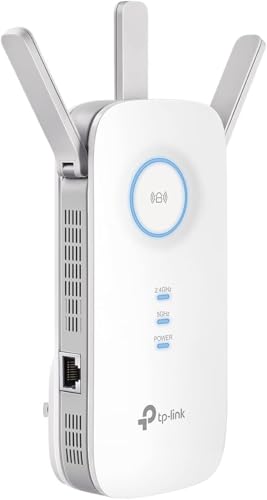
- 𝐃𝐮𝐚𝐥-𝐁𝐚𝐧𝐝 𝐖𝐢𝐅𝐢 𝐄𝐱𝐭𝐞𝐧𝐝𝐞𝐫 𝐰𝐢𝐭𝐡 𝟏.𝟗 𝐆𝐛𝐩𝐬 𝐓𝐨𝐭𝐚𝐥 𝐁𝐚𝐧𝐝𝐰𝐢𝐝𝐭𝐡 - Extend your home network with speeds of up to 1300 Mbps (5 GHz) and up to 600 Mbps (2.4 GHz). ◇
- 𝐌𝐚𝐱𝐢𝐦𝐢𝐳𝐞𝐝 𝐂𝐨𝐯𝐞𝐫𝐚𝐠𝐞 𝐮𝐩 𝐭𝐨 𝟐𝟏𝟎𝟎 𝐒𝐪. 𝐅𝐭 - Three adjustable external antennas provide reliable connections for eliminating dead zones for up to 32 devices. Actual performance vary by conditions, distance to devices, and obstacles such as walls.
- 𝐎𝐮𝐫 𝐂𝐲𝐛𝐞𝐫𝐬𝐞𝐜𝐮𝐫𝐢𝐭𝐲 𝐂𝐨𝐦𝐦𝐢𝐭𝐦𝐞𝐧𝐭 - TP-Link is a signatory of the U.S. Cybersecurity and Infrastructure Security Agency’s (CISA) Secure-by-Design pledge. This device is designed, built, and maintained, with advanced security as a core requirement.

Why it wins: Nearly nineteen thousand ratings at 4.3 and five thousand sold last month. Fast AC1900 dual-band speed, three external antennas for reach, and a gigabit Ethernet port, which together fix a slow bedroom or office for most homes with setup in minutes through the Tether app.
Pros
- Large owner base and strong current sales
- Faster AC1900 dual-band speed
- Gigabit Ethernet port for wired devices or wired backhaul
- Works with TP-Link OneMesh routers
Cons
- Not WiFi 6, so it will not unlock the top speeds of the newest routers
- Larger than the compact plug-ins
Skip it if: your router is WiFi 6, where the RE500X or RE715X match it better.
Scores: Speed 4/5 | Coverage 4/5 | Easy setup 5/5 | Value 5/5
NETGEAR EX5000 — Best budget pick
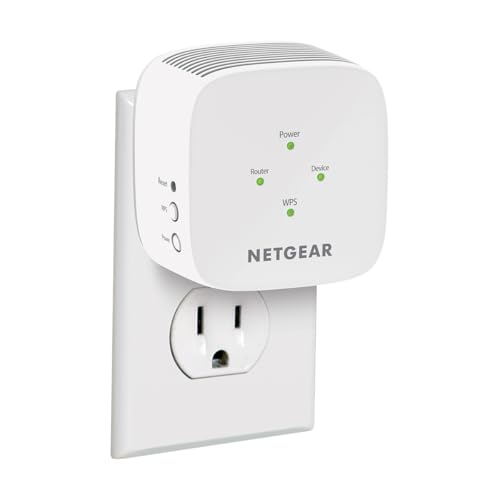
- DEAD ZONES, ELIMINATED: Bring WiFi 5 to the rooms your router cannot reach - bedrooms, garage, basement, and backyard - with up to 1,500 sq. ft. of added coverage for up to 25 devices, from any wall outlet
- EASY SET UP: Use the NETGEAR Nighthawk app for guided setup, or press WPS on your router and the extender
- STREAM AND BROWSE WITHOUT BUFFERING: Keep HD video, calls, and everyday devices smooth where signal was weak, with up to 1.2 Gbps (AC1200) across two bands. Real-world speeds vary depending on connected devices and internet plan
Why it wins: Sixteen thousand ratings on a compact NETGEAR extender rated for up to 1,500 square feet. A low-cost way to fix one dead zone and a natural match for homes already running a NETGEAR router, with simple setup through the NETGEAR app.
Pros
- Large owner base
- Compact wall-plug design
- Easy pairing with NETGEAR routers
Cons
- Not WiFi 6
- Rating sits in the low fours
Skip it if: you want the newest WiFi standard, where the TP-Link WiFi 6 models suit better.
Scores: Speed 3/5 | Coverage 4/5 | Easy setup 4/5 | Value 4/5
Faster extenders for WiFi 6 and WiFi 7 routers
TP-Link RE500X AX1500 — Best budget WiFi 6

- WIFI EXTENDERS SIGNAL BOOSTER FOR HOME: Extend high-performance WiFi with RE500X featuring high-gain antennas that are specifically designed to eliminate WiFi dead zones.
- DUAL-BAND WI-FI EXTENDER WITH 1.5 GBPS TOTAL BANDWIDTH: Extend your router's WiFi coverage with speeds up to 1201 Mbps on 5 GHz and up to 300 Mbps on 2.4 GHz). Performance varies by conditions, distance to devices, and obstacles such as walls.
- DOES NOT INCREASE SPEEDS: Please note that all Wireless Extenders are designed to improve WiFi coverage and not increase speeds. Actual speeds will be 50% or less from current speeds. However, improving signal reliability can boost overall performance.
Why it wins: Nearly four thousand ratings on the lowest-cost route to WiFi 6 here. If your router is WiFi 6, this keeps the newer standard’s efficiency all the way to the far room, with a gigabit Ethernet port for wired devices.
Pros
- WiFi 6 at an entry-level outlay
- Gigabit Ethernet port
- Works with TP-Link OneMesh routers for smooth roaming
Cons
- Smaller review base than the AC models
- Dual-band shares its bandwidth between router and devices
Skip it if: your router is older than WiFi 6, where the RE550 gives the same real speed for less.
Scores: Speed 4/5 | Coverage 4/5 | Easy setup 5/5 | Value 5/5
TP-Link RE715X AX3000 — Best WiFi 6 extender
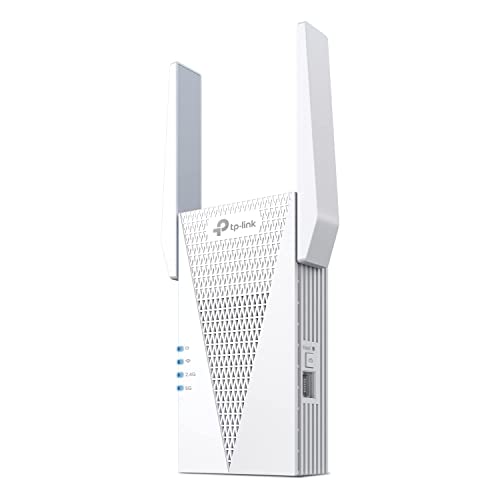
- 𝐃𝐮𝐚𝐥-𝐁𝐚𝐧𝐝 𝐖𝐢𝐅𝐢 𝟔 𝐄𝐱𝐭𝐞𝐧𝐝𝐞𝐫 𝐰𝐢𝐭𝐡 𝟑 𝐆𝐛𝐩𝐬 𝐓𝐨𝐭𝐚𝐥 𝐁𝐚𝐧𝐝𝐰𝐢𝐝𝐭𝐡 - Extend your WiFi coverage with speeds up to 2404 Mbps (5 GHz band) and up to 574 Mbps (2.4 GHz band) for reliable 4K streaming and more. Performance varies by conditions, distance to devices, and obstacles such as walls.
- 𝐌𝐚𝐱𝐢𝐦𝐢𝐳𝐞𝐝 𝐂𝐨𝐯𝐞𝐫𝐚𝐠𝐞 𝐮𝐩 𝐭𝐨 𝟐𝟒𝟎𝟎 𝐒𝐪. 𝐅𝐭. - Two high-gain directional antennas with Beamforming technology enhance signal strength for up to 64 devices. Actual performance vary by conditions, distance to devices, and obstacles such as walls.
- 𝐎𝐮𝐫 𝐂𝐲𝐛𝐞𝐫𝐬𝐞𝐜𝐮𝐫𝐢𝐭𝐲 𝐂𝐨𝐦𝐦𝐢𝐭𝐦𝐞𝐧𝐭 - TP-Link is a signatory of the U.S. Cybersecurity and Infrastructure Security Agency’s (CISA) Secure-by-Design pledge. This device is designed, built, and maintained, with advanced security as a core requirement.
Why it wins: Forty six hundred ratings on TP-Link’s stronger WiFi 6 extender, with external antennas and enough speed for 4K streaming and video calls in the far rooms of a larger home.
Pros
- Faster AX3000 WiFi 6
- External antennas aimed for better reach
- Gigabit Ethernet port
- OneMesh compatible
Cons
- Bulkier than the compact plug-ins
- Costs more than the entry WiFi 6 model
Skip it if: you only need to cover one nearby room, where the RE500X is enough.
Scores: Speed 5/5 | Coverage 5/5 | Easy setup 4/5 | Value 4/5
TP-Link RE815X AX5400 Tri-Band — Best for heavy use

- 𝐓𝐫𝐢-𝐁𝐚𝐧𝐝 𝐖𝐢𝐅𝐢 𝟔 𝐄𝐱𝐭𝐞𝐧𝐝𝐞𝐫 𝐁𝐨𝐨𝐬𝐭𝐞𝐫 𝐰𝐢𝐭𝐡 𝟓.𝟒 𝐆𝐛𝐩𝐬 𝐓𝐨𝐭𝐚𝐥 𝐁𝐚𝐧𝐝𝐰𝐢𝐝𝐭𝐡 - Extend your router's WiFi coverage with speeds up to 2402 Mbps (Dual 5 GHz) and 574 Mbps (2.4 GHz). Performance varies by conditions, distance to devices, & obstacles such as walls.
- 𝐌𝐚𝐱𝐢𝐦𝐢𝐳𝐞𝐝 𝐂𝐨𝐯𝐞𝐫𝐚𝐠𝐞 𝐮𝐩 𝐭𝐨 𝟐𝟖𝟎𝟎 𝐒𝐪. 𝐅𝐭 - Four high-gain directional antennas and 6 powerful FEM with Beamforming technology boosts signal strength, reliability, and range, providing seamless whole-home Wi-Fi coverage and eliminating dead zones for up to 96 devices.
- 𝐎𝐮𝐫 𝐂𝐲𝐛𝐞𝐫𝐬𝐞𝐜𝐮𝐫𝐢𝐭𝐲 𝐂𝐨𝐦𝐦𝐢𝐭𝐦𝐞𝐧𝐭 - TP-Link is a signatory of the U.S. Cybersecurity and Infrastructure Security Agency’s (CISA) Secure-by-Design pledge. This device is designed, built, and maintained, with advanced security as a core requirement.
Why it wins: A third radio band can be dedicated to talking with the router, so the extender does not have to split its bandwidth, which is what slows dual-band models down. Rated for up to 2,800 square feet and 96 devices.
Pros
- Tri-band design avoids the dual-band speed split
- Rated for large homes and many devices
- 160 MHz channels for top WiFi 6 speeds
Cons
- Smaller review base than the dual-band models
- Larger unit
Skip it if: your home is small, where a dual-band extender is plenty.
Scores: Speed 5/5 | Coverage 5/5 | Easy setup 4/5 | Value 4/5
TP-Link RE223BE Wi-Fi 7 — Best value Wi-Fi 7
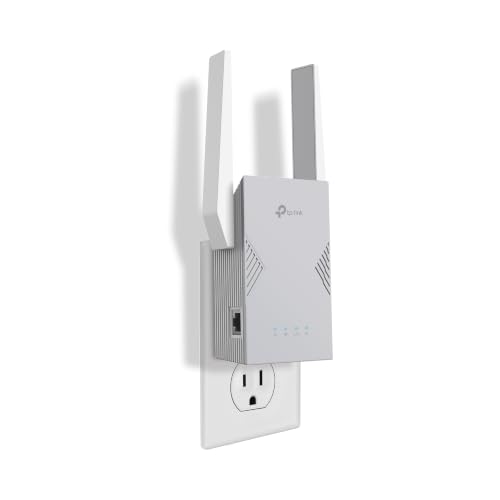
- 𝐍𝐞𝐱𝐭-𝐆𝐞𝐧 𝐖𝐢-𝐅𝐢 𝟕 𝐏𝐞𝐫𝐟𝐨𝐫𝐦𝐚𝐧𝐜𝐞 - Pair with a Wifi 7 router and achieve the benefits of Multi-Link Operation (MLO), Multi-RUs, 160 MHz and 4K-QAM. Achieve optimized signal distribution throughout your entire home, and enjoy high performance on latest WiFi 7 devices.△
- 𝟒-𝐒𝐭𝐫𝐞𝐚𝐦, 𝐃𝐮𝐚𝐥-𝐁𝐚𝐧𝐝 𝐖𝐢𝐅𝐢 𝐰𝐢𝐭𝐡 𝟑.𝟐 𝐆𝐛𝐩𝐬 𝐓𝐨𝐭𝐚𝐥 𝐁𝐚𝐧𝐝𝐰𝐢𝐝𝐭𝐡 - Extend your router's performance with speeds up to 2594 Mbps (5 GHz band) and up to 688 Mbps (2.4 GHz band). Enjoy seamless 4K/8K streaming, AR/VR gaming, and fast downloads/uploads.⌂
- 𝐃𝐨𝐞𝐬 𝐍𝐨𝐭 𝐈𝐧𝐜𝐫𝐞𝐚𝐬𝐞 𝐒𝐩𝐞𝐞𝐝𝐬 - Please note that all Wireless Extenders are designed to improve WiFi coverage and not increase speeds. Actual speeds will be 50% or less from current speeds. However, improving signal reliability can boost overall performance.
Why it wins: Two thousand sold last month on an affordable Wi-Fi 7 extender. If you have upgraded to a Wi-Fi 7 router, this extends the newest standard rather than dropping your far rooms back to older WiFi.
Pros
- Wi-Fi 7 at an approachable outlay
- Ethernet port for wired devices
- Strong current sales
Cons
- Newer product with a smaller review base
- Benefits show only with a Wi-Fi 7 router and devices
- Dual-band rather than tri-band
Skip it if: your router is WiFi 6 or older, where the RE715X costs less for the same real speed.
Scores: Speed 5/5 | Coverage 4/5 | Easy setup 4/5 | Value 4/5
When an extender is not enough
Amazon eero 6+ Extender — Best for eero owners

- EXTEND YOUR EERO WIFI COVERAGE - Add up to 1,500 sq. ft. of Wi-Fi 6 coverage per extender.
- REQUIRES AN EERO NETWORK - eero 6+ extenders require an existing eero network. You can add as many eero 6+ extenders as you need to maximize coverage throughout your home.
- GIVE YOUR WIFI A BOOST - Ideal for internet plans up to 1 Gbps and supports 75+ devices.
Why it wins: Ten thousand ratings at 4.4. If you already run an eero system, this adds up to 1,500 square feet of smooth mesh coverage with one network name and automatic setup in the eero app.
Pros
- Smooth roaming with one network name
- Very easy setup in the eero app
- Supports 75 or more devices
Cons
- Requires an existing eero mesh system
- Costs more than a standard extender
Skip it if: you do not own eero, where any TP-Link extender here works with your current router.
Scores: Speed 4/5 | Coverage 4/5 | Easy setup 5/5 | Value 4/5
TP-Link Deco X55 Mesh, 3-Pack — Best for whole-home coverage
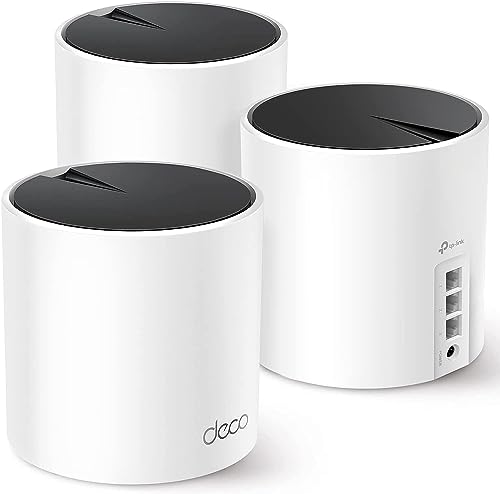
- Wi-Fi 6 Mesh Wi-Fi - Next-gen Wi-Fi 6 AX3000 whole home mesh system to eliminate weak Wi-Fi for good(2×2/HE160 2402 Mbps plus 2×2 574 Mbps)
- Whole Home WiFi Coverage - Covers up to 6500 sq. ft. with seamless high-performance Wi-Fi 6 and reduces dead zones. Actual performance vary by conditions, distance to devices, and obstacles such as walls.
- Connect More Devices - Deco X55(3-pack) is strong enough to connect up to 150 devices with strong and reliable Wi-Fi
Why it wins: Seventeen thousand ratings at 4.4. When several rooms or floors are slow, a mesh system replaces patchwork extenders with one WiFi 6 network that covers the whole house and hands devices between units automatically.
Pros
- Whole-home WiFi 6 coverage
- One network name with automatic handoff
- Ethernet ports on every unit
- Large owner base
Cons
- Replaces your router’s WiFi rather than adding to it
- Highest upfront cost here
Skip it if: you only have one dead zone, where a single extender is the cheaper fix.
Scores: Speed 5/5 | Coverage 5/5 | Easy setup 4/5 | Value 4/5
Quick compare
- Best overall: TP-Link RE550, not WiFi 6
- Budget: NETGEAR EX5000, not WiFi 6
- Budget WiFi 6: TP-Link RE500X, dual-band split
- WiFi 6: TP-Link RE715X, bulkier
- Heavy use: TP-Link RE815X tri-band, larger unit
- Wi-Fi 7: TP-Link RE223BE, needs a Wi-Fi 7 router
- eero owners: eero 6+ extender, eero system required
- Whole home: Deco X55 mesh, highest outlay
Two habits get full speed from any extender. Plug it in halfway between the router and the dead zone, then check the signal light or app and move it one socket closer to the router if the link reads weak. And if a cable can reach, connect the extender to the router by Ethernet and switch it to access point mode, which removes the wireless relay entirely. Get those right and the dead zone becomes just another room.
As an Amazon Associate, I earn from qualifying purchases.